Google Docs Add-on

Automate Your
Documents
in Seconds

Stop copying and pasting. VariableVault replaces placeholders in Google Docs with real data from Google Sheets — instantly.

1 Month Free
No Credit Card
Cancel Anytime
Trusted by teams who value their time

Government Offices Tender Creators Admin Teams Businesses

Stop Wasting Hours on Repetitive Documents

Whether you're creating tenders, contracts, reports, or letters — VariableVault lets you define your data once in Google Sheets, write your template once in Google Docs, and generate hundreds of personalized documents with a single click.

Features

Everything You Need to Automate Docs

Powerful features designed to save you time and eliminate errors.

Google Docs Integration

Works directly inside Google Docs — no external tools, no switching tabs. Your workflow stays seamless.

Sheets Variable Storage

Store all your variables and data in Google Sheets. Manage hundreds of entries from one central spreadsheet.

One-Click Generation

Click once, and VariableVault fills every placeholder with actual data. Generate finished documents instantly.

Placeholder Replacement

Use intuitive {{placeholders}} in your docs. VariableVault handles the rest.

Reusable Templates

Create your templates once and reuse them forever. Update the data in Sheets and regenerate anytime.

Save Hours Daily

What used to take hours of copy-pasting now takes seconds. Focus on what matters, not formatting.

How It Works

Four Simple Steps

From template to finished document in under a minute.

1

Create Variables

Define your variables and their values in a Google Sheet.

View Sheets DB →
2

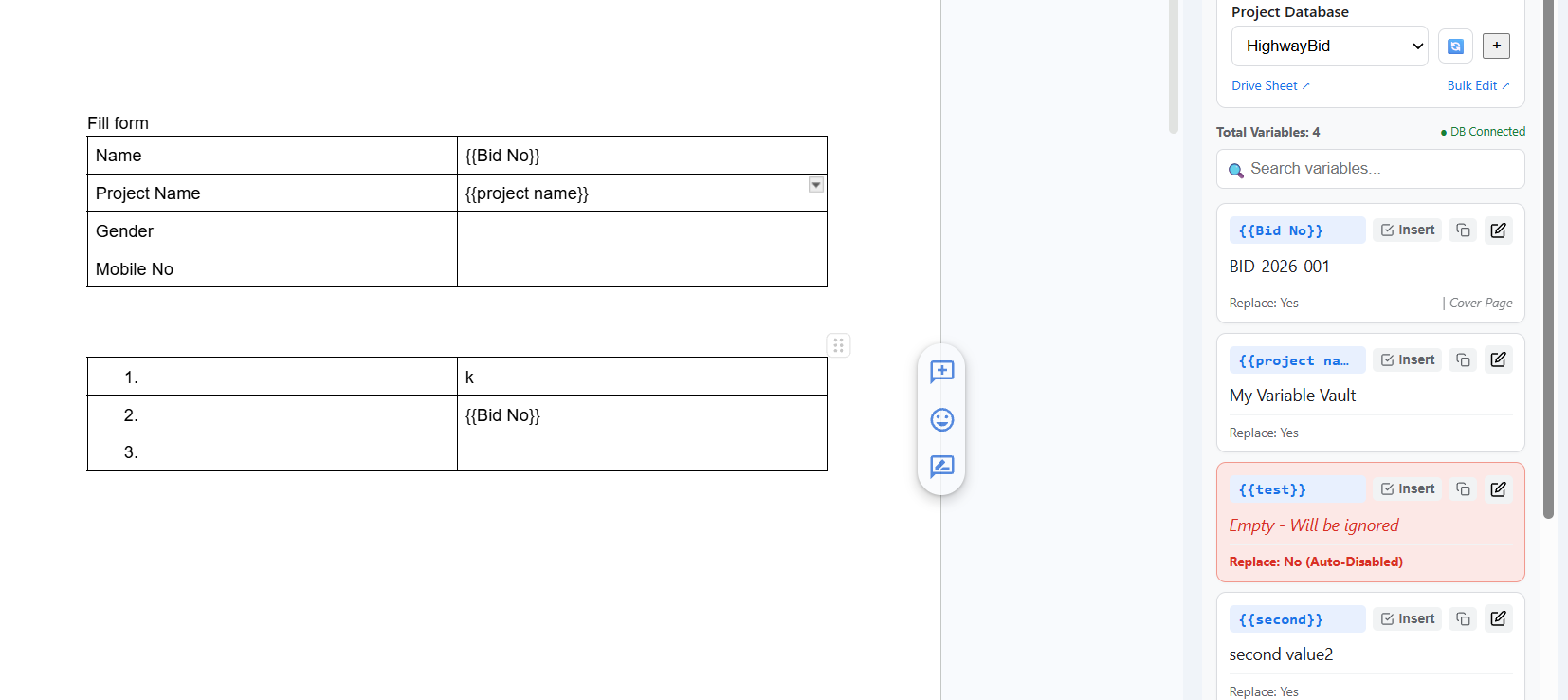
Add Placeholders

Insert {{placeholders}} in your Google Doc template.

View Docs Template →
3

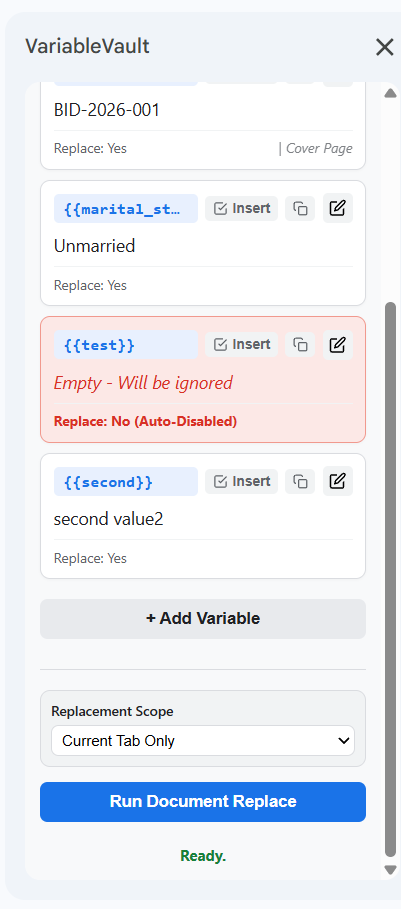
Run VariableVault

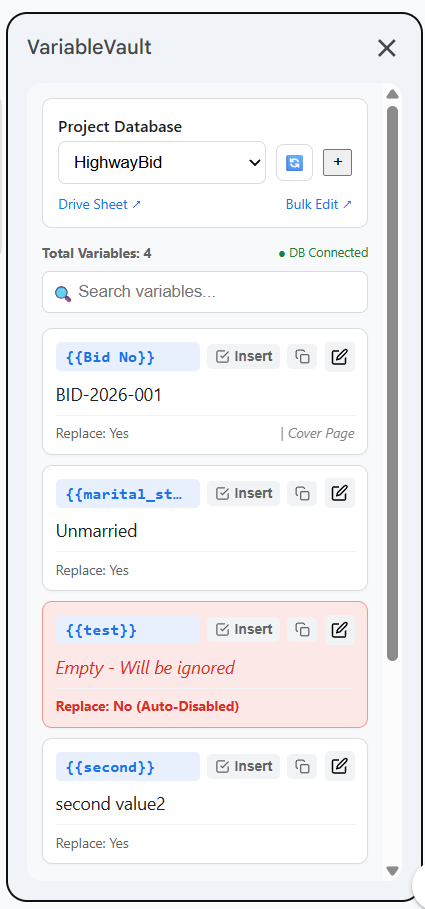
Open the add-on from your Google Docs menu and hit generate.

View Sidebar UI →
4

Get Final Document

Your document is instantly generated with all real data filled in.

View Finished Run →

Product Tour

See VariableVault in Action

Take a visual tour of the add-on features and see how easily you can automate document creation.

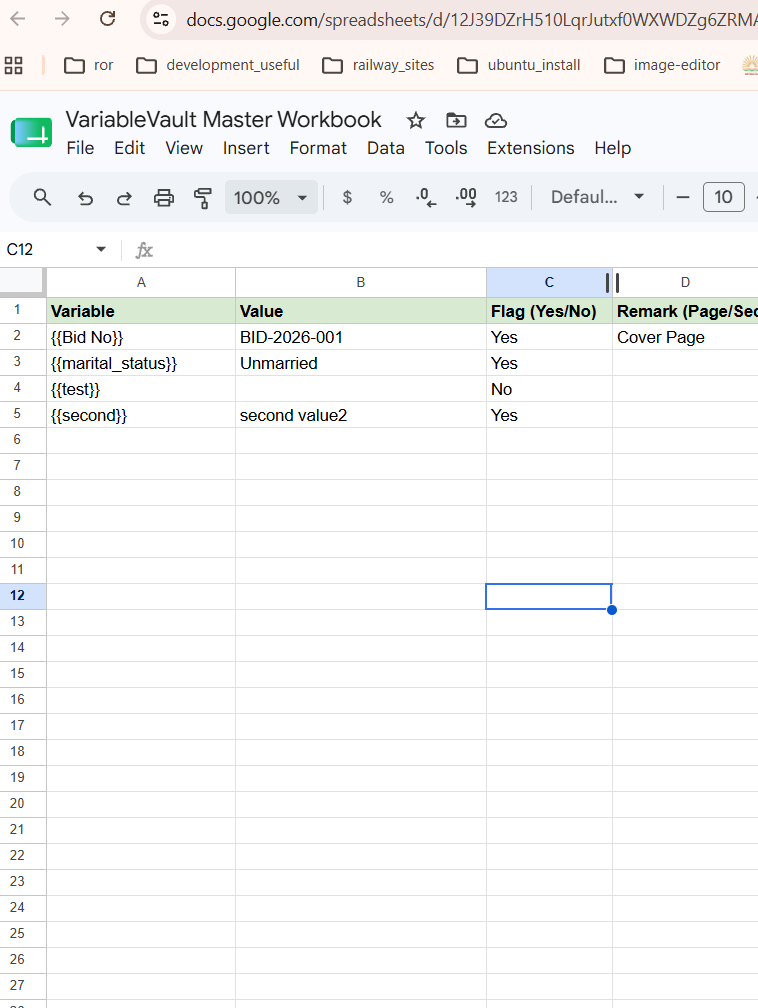
docs.google.com/spreadsheets
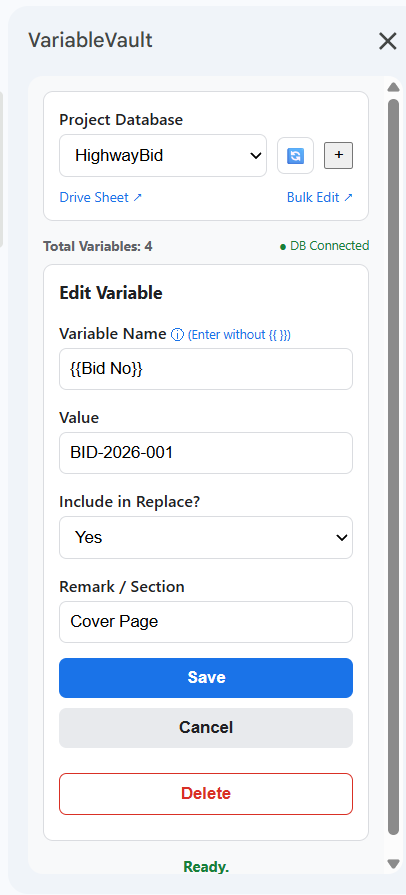
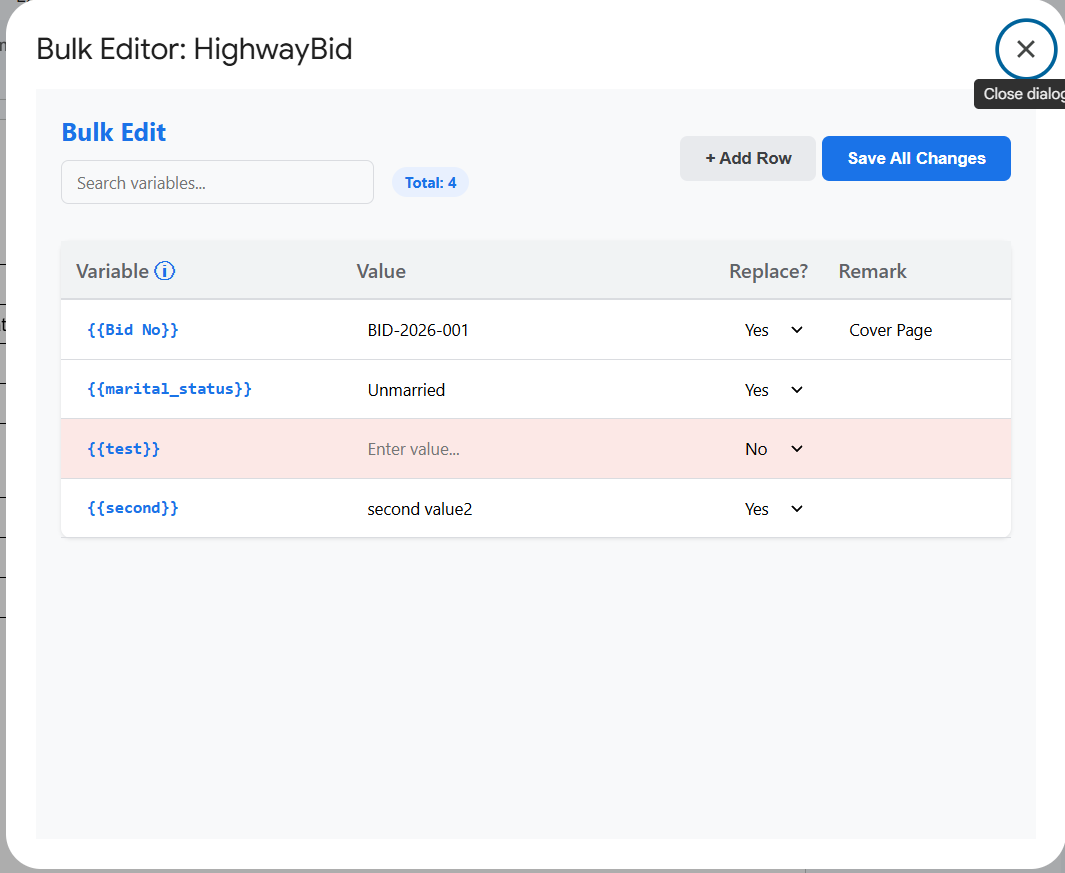
Google Sheets variable database screenshot Google Docs placeholder integration screenshot VariableVault sidebar variable list screenshot Edit variable inline form screenshot Bulk editor variable dialog table screenshot Sidebar footer actions and scope replacement screenshot

Centralized Variables Database

Your variables are stored directly in a standard Google Sheets workbook. Easily edit variable names, values, and flags in columns. Since it's in Google Sheets, you can use regular sheet formulas, link other data sources, copy-paste rows, and share the sheet with your team instantly.

Key Highlights
  • Familiar Google Sheets UI
  • Real-time collaboration & sharing
  • Formula & formatting support
  • Auto-save & version history

Pricing

Simple, Honest Pricing

Start free. No credit card required. Upgrade when you're ready.

Free Trial

Try everything for free

$0 / 1 month
  • Full access to all features
  • Unlimited document generation
  • No credit card required
  • Email support
Start Free Trial
Most Popular

Yearly Plan

Best value — less than $3/month

$33 / year
  • Everything in Free Trial
  • Unlimited document generation
  • Priority email support
  • Future feature updates
  • Cancel anytime
Get Started — $33/year

FAQ

Frequently Asked Questions

Ready to Save Hours
Every Single Day?

Join hundreds of professionals who've automated their document workflows with VariableVault. Start your free trial today — no credit card needed.